













Big Candy Casino: Mobile Experience and Device Support
Big Candy Casino Mobile Experience: Browser-Based Play on All Devices
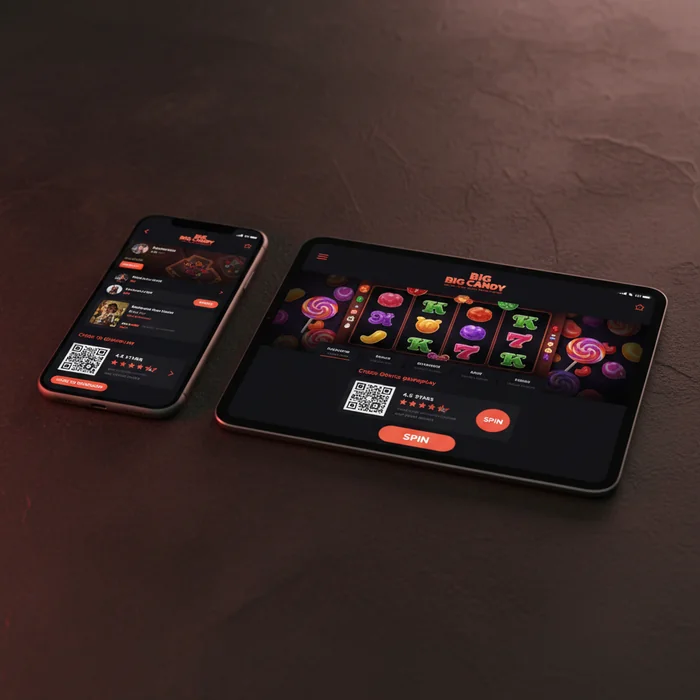
Are you wondering whether the Big Candy Casino mobile experience actually holds up on a phone screen — or whether you'll be squinting at tiny buttons and waiting on slow load times? The truth is, we've built our entire mobile setup around one principle: you shouldn't need to compromise just because you're not at a desk. The Big Candy Casino app isn't a native download from a store — it's a fully browser-based platform, which means no APK files, no App Store approvals, and no storage consumed on your device. You open your browser, navigate to Big Candy Casino, and you're playing within seconds.
This approach has a real trade-off worth naming upfront. If you prefer the feel of a dedicated native app with home-screen icons and offline caching, this isn't that. What we offer instead is instant access from any device — iOS, Android, Windows tablet, or even an older Android browser — without version compatibility headaches. For Australian players who switch between devices frequently, that flexibility is often more practical than a locked-down native install.
How RTG's Mobile-Optimized Games Perform on iOS and Android
RTG (Realtime Gaming) powers every title on our platform, and their HTML5 framework is specifically engineered for touchscreen interaction. On iOS 14 and above, RTG slots render at native resolution with responsive tap controls — spin buttons, bet adjusters, and autoplay functions all scale correctly to screen size. On Android 8.0 and above, performance is comparable, though older mid-range Android handsets may experience slightly longer initial load times on graphics-heavy jackpot titles.
Here's what we actually offer in terms of RTG's mobile performance: the payout percentage across our RTG library sits at 96.7%, which holds on mobile exactly as it does on desktop — the RNG doesn't change based on device. Progressive jackpot slots like Aztec's Millions and Megasaur run on the same seed values whether you're on a 6-inch phone or a 27-inch monitor. The math is identical. What changes is screen real estate, not game integrity.
If you're on an older iPhone (pre-iPhone 8) or a budget Android device with less than 2GB RAM, you may find that live-animation-heavy titles stutter during bonus rounds. For those players, we'd suggest sticking to classic 3-reel RTG slots or video poker titles, which are significantly lighter on processing demand.
Screen Compatibility and Load Times on Smartphones and Tablets
Tablets — both iPad and Android — give you the closest experience to desktop play. RTG's UI scales up cleanly to 10-inch and 12-inch screens, and the wider viewport means you can see full paytables without scrolling. On smartphones, the experience is genuinely good for portrait-mode slot play, but table games like blackjack and roulette benefit from landscape orientation — we recommend rotating your phone for those sessions.
Load times depend heavily on your connection. On a stable 4G or 5G connection, most RTG slot titles are playable within 3–5 seconds of tapping the game thumbnail. On standard NBN home Wi-Fi, it's comparable. Where mobile falls short of desktop is on congested public Wi-Fi — coffee shops, airports — where initial game loads can stretch to 10–15 seconds. This isn't a Big Candy-specific issue; it's a browser-based reality for any HTML5 casino platform.
| Device Type | Minimum Requirement | Access Method | Performance Rating |
|---|---|---|---|
| iPhone / iOS | iOS 14+ | Safari mobile browser | Excellent |
| Android Phone | Android 8.0+, 2GB RAM | Chrome / Firefox mobile | Good–Excellent |
| iPad / iOS Tablet | iPadOS 14+ | Safari mobile browser | Excellent |
| Android Tablet | Android 8.0+ | Chrome mobile | Good |
| Windows Laptop/PC | Windows 10+, modern browser | Chrome / Edge / Firefox | Excellent |
Accessing the Full RTG Game Library Through Your Mobile Browser
One of the legitimate strengths of our browser-based approach is that you access the full RTG catalogue — not a reduced mobile subset. Many native casino apps strip out 30–40% of titles to keep file sizes manageable. Because we operate through the browser, the game you want is always available, whether that's a niche RTG video poker variant or the latest jackpot release. Getting started is simple: navigate to the site, log in via your account, and the full library is right there.
Progressive Jackpot Slots Available Directly on Mobile
RTG's progressive jackpot network is fully accessible on mobile, and this is genuinely worth highlighting because not every mobile casino setup supports live progressive pools. Titles like Aztec's Millions, Megasaur, and Spirit of the Inca all carry networked jackpots that accumulate in real time — and you can spin on them from your phone with no reduction in jackpot eligibility. The jackpot seed amounts and contribution rates are identical to desktop play.
The trade-off here is data usage. Progressive jackpot slots with animated jackpot meters and multi-layer bonus sequences consume more mobile data than simpler titles — roughly 3–5MB per session for a 20-minute play period, compared to 1–2MB for a classic 3-reel slot. If you're on a limited mobile data plan, this is worth factoring in. We'd suggest connecting to Wi-Fi for extended jackpot sessions.
Table Games and Video Poker Titles Playable on Small Screens
RTG's table game suite — including blackjack variants, roulette, baccarat, and Caribbean Stud Poker — renders well on mobile screens, though the experience differs by game type. Blackjack is the strongest performer on small screens: the card layout is clean, the hit/stand/double buttons are large enough for accurate tapping, and decision speed isn't compromised. Roulette requires a bit more care — the betting grid is compact on a 5-inch screen, and we recommend using landscape mode to avoid misclicks on adjacent bet zones.
Video poker is arguably the best mobile experience in our entire library. RTG's Jacks or Better, Deuces Wild, and Aces and Eights titles have minimal UI — five cards, a hold button per card, and a draw button. That simplicity translates perfectly to touchscreen play. If you're a video poker player who hasn't tried it on mobile, this is the use case where mobile genuinely outperforms desktop in terms of focused, distraction-free play.
Mobile Bonuses: Claiming 200 Free Spins and No Deposit Offers on the Go
The Big Candy Casino mobile bonus structure doesn't penalise you for playing on a phone. Every promotion available on desktop — including our 345% Signup Bonus plus 200 Free Spins on your first deposit — is fully claimable through the mobile browser. There's no separate "mobile-only" portal or reduced offer for phone users. You see the same promotions, enter the same bonus codes, and receive the same credited amounts regardless of device.
To put the welcome offer in practical terms: on a deposit of AUD $100, a 345% match returns AUD $345 in bonus funds, giving you AUD $445 in total playing balance. The 200 Free Spins are applied to eligible RTG slot titles. Before you activate any offer, check the specific wagering conditions attached — we display these clearly on the bonus page so you can run the numbers yourself before committing.
How to Enter Bonus Codes and Activate Promotions From a Mobile Device
Activating a bonus code on mobile takes under 60 seconds once you're logged in. Navigate to the cashier section through your mobile browser, select your deposit method, enter your deposit amount, and you'll see a bonus code field before confirming the transaction. Type or paste your code there. If you're copying a code from an email on the same device, the paste function works reliably across both iOS Safari and Android Chrome.
No deposit bonuses and free spin offers work the same way — some are auto-applied on login, others require you to enter a code in the promotions or cashier section. We've streamlined the process so you can activate offers without navigating through multiple screens. If a bonus isn't appearing after code entry, the live chat function (accessible directly from the mobile browser) resolves this in real time — our support team is available 24/7.
Mobile Support and Account Management at Big Candy Casino
Managing your account entirely from a mobile browser is practical at Big Candy Casino — we've designed the account interface to function fully on small screens, not as an afterthought. Deposits, withdrawals, document uploads for verification, bonus history, and session limits are all accessible through the mobile browser without needing to switch to a desktop. This matters for Australian players who primarily use their phones for financial transactions.
Using Live Chat and Email Support Directly From Your Phone
Our live chat widget is present on every page of the mobile site — it loads as a floating button that doesn't obstruct game content. Tapping it opens a chat window within the browser, no separate app required. Response times through live chat are consistent at under 2 minutes during standard hours, and the 24/7 availability means Australian players in AEST time zones aren't disadvantaged by offshore support schedules.
Email support is the better channel for issues requiring documentation — account verification queries, bonus dispute details, or withdrawal hold explanations. On mobile, you can attach screenshots directly from your phone's camera roll when emailing support, which speeds up resolution considerably. The email address is visible in the support section of the site, and we aim to respond within 24 hours, though complex account queries may take up to 48 hours.
Here's an honest limitation: there's no phone support line. If you need to speak to someone directly, live chat is the closest equivalent. For most account management tasks this isn't a problem, but if you're the type of player who prefers voice communication for financial matters, that's a gap worth knowing about before you sign up.
Managing Deposits, Withdrawals and Account Settings via Mobile Browser
The cashier section on mobile handles deposits and withdrawals through the same payment methods available on desktop. Australian players can use credit/debit cards, e-wallets, and other supported methods directly from the mobile browser — no functionality is removed on mobile. Deposit minimums and withdrawal limits are consistent across devices; the mobile browser doesn't impose additional restrictions.
Account settings — including password changes, responsible gambling limits (deposit caps, session time limits, self-exclusion), and personal detail updates — are all accessible under your account profile on mobile. We'd actually encourage Australian players to set deposit limits during the initial account setup, which takes about 90 seconds on mobile and can prevent unplanned overspending during impulsive short sessions.
The truth is, the Big Candy Casino mobile experience is best suited to Australian players who want flexible, browser-based access to RTG's full game library — including progressive jackpots and video poker — without the friction of app downloads or installation files. If that matches how you play, getting started is simple: visit the site on your phone, create your account, and you're playing RTG titles with a 96.7% payout rate within minutes. If you came here asking whether mobile play at Big Candy Casino is worth your time — the answer depends on what you're looking for, and we've given you the specifics to decide that for yourself.